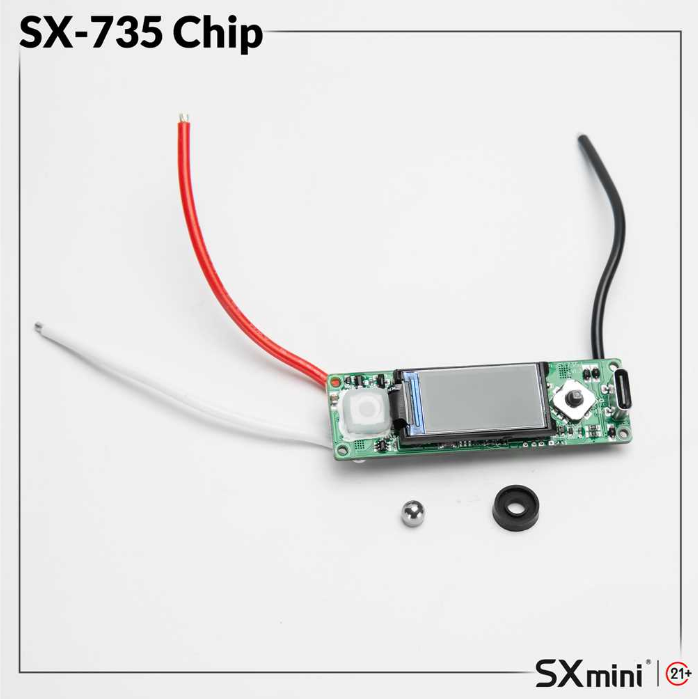
The YiHi SX735J chipset is a high-performance control system designed for single-battery vaping devices (18650 / 20700 / 21700). It supports multiple output modes, advanced temperature control, and YiHi’s exclusive Pure Mode for improved flavor consistency and output stability. This guide explains all SX735J settings, modes, and features in a clear way, including how to configure the device for the best performance. What is the YiHi SX735J Chipset? The YiHi SX735J is an advanced vaping chipset developed for precision power control and enhanced flavor delivery. It is commonly used in premium vape mods and supports both beginner-friendly wattage control and advanced customization features. Key capabilities include: Wattage adjustment (5–100W depending on device) Temperature control (Ni200, SS316L, TCR) Voltage mode output YiHi Pure Mode for stable performance SXi-EQ custom power curves How to Turn On and Lock the Device Power On / Off To turn on the device, press the fire button 5 times quickly. The YiHi logo will appear, followed by the main interface. To turn off the device: Enter the main menu Select System Off Confirm shutdown Lock / Unlock Press the fire button 3 times to lock or unlock the device. This helps prevent accidental firing or misuse. YiHi SX735J Modes Explained Watt Mode (Power Mode) Watt Mode allows you to manually adjust output power based on your coil and preference. You can also select preset profiles such as: Soft Neutral Strong SXi-EQ custom curve modes This mode is ideal for users who want simple power control and consistent output. Temperature Control Mode (TC Mode) Temperature Control Mode…
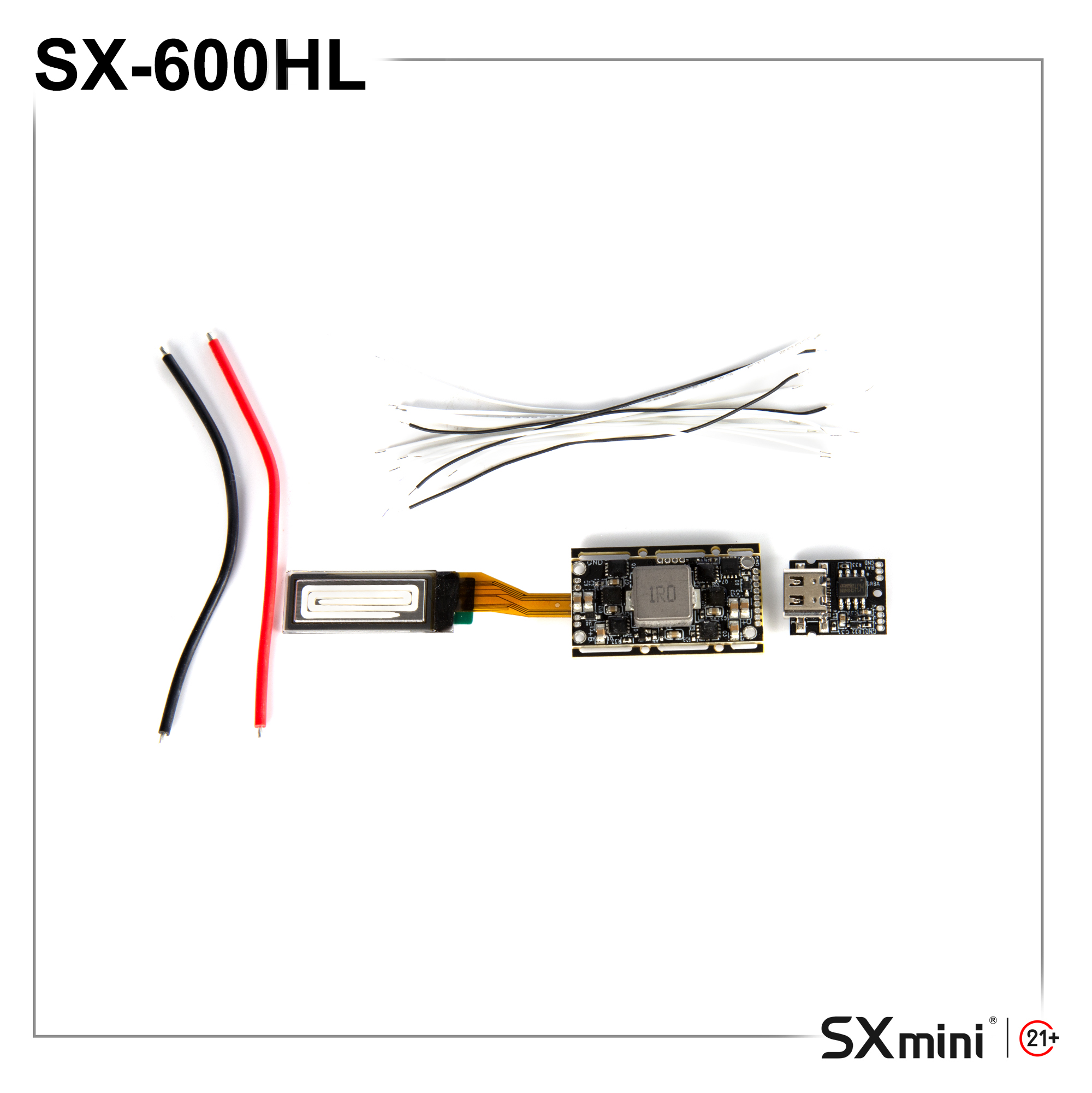
YiHi SX600H Chipset – Full User Guide & Technical Overview (Watt / Voltage / Temperature Control for Vape Devices)
(Designed for device makers and DIY lovers, delivering top-tier performance and customization to everyday users.) Large Screen=0.91''OLED=SX600HL Small Screen=0.69''OLED=SX600HS The YiHi SX600H chipset is designed for device manufacturers, OEM brands, and advanced DIY mod users who need stable performance, precise control, and flexible customization. It supports multiple vaping modes including Wattage Mode, Voltage Mode, and Temperature Control (TC / TCR), making it a versatile vape chipset for modern box mod systems. This guide is optimized for both engineers and end users who want to understand how the SX600H works in real device applications. Highlights of YiHi SX600H Vape Chipset • High-precision constant power output with ±0.5% accuracy• Adjustable output range: 1W–60W vape power control• Supports Watt Mode, Voltage Mode, and Temperature Control mode• Ultra-precise resistance detection down to 0.0001Ω for stable coil reading• Compatible with single lithium battery box mod systems• External charging support: 5V / 1.5–1.8A charging module• Built-in vape safety protection system (short circuit / low resistance / overheat / reverse polarity)• Firmware upgrade support for OEM customization and advanced feature tuning• Designed for DIY modders, vape device engineers, and high-end vaping systems Power System & Charging • Battery configuration: single 18650 lithium battery (max 4.2V input)• External charging support: 5V / 1.5–1.8A charging board integration• Stable output control for consistent vape performance under different resistance loads Working Parameters (Vape Performance Specs) • Resistance range: Power mode: 0.10–3.0Ω Temperature control mode: 0.05–3.0Ω • Output range: 1–60W adjustable vape wattage• Maximum output voltage: 8V• Maximum current: 20A (at 0.15Ω load)• Static current: <1µA ultra-low standby consumption Temperature Control…
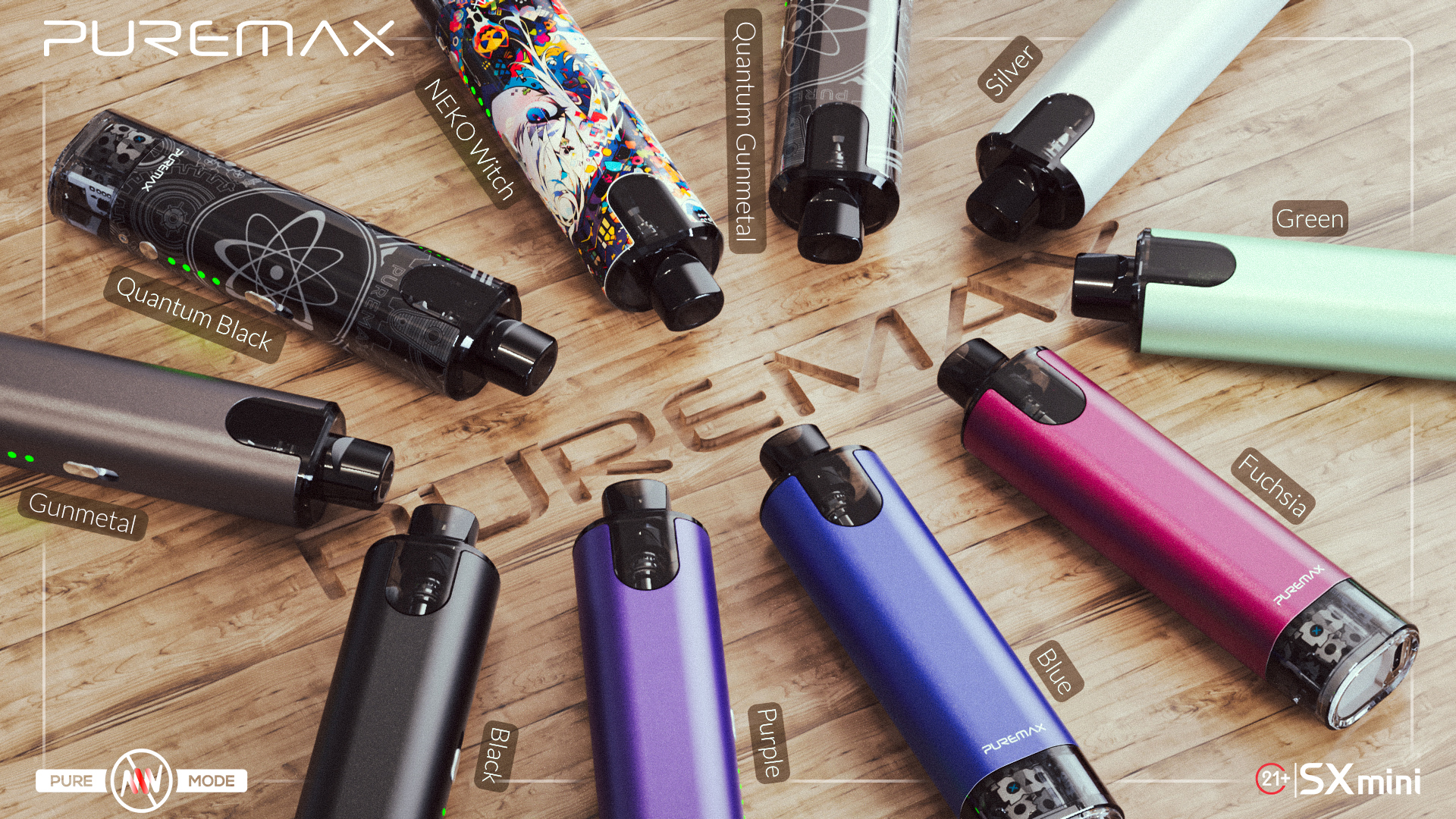
The SXmini Puremax 1 is a compact and easy‑to‑use vape device, designed for pure flavor and convenience. Even first‑time users can get started quickly. How to Start Ready to use: pre‑installed coil and battery,fill the eliquid and wait for 5 minutes. Auto‑draw activation: just inhale, no buttons needed. 0.6Ω coil: delivers smooth vapor with balanced flavor and clouds. Tips for Use Charging: use the Type‑C port. Do not vape while charging. Keep clean: avoid e‑liquid entering the charging port. Best experience: inhale gently, not too hard. Who It’s For Users who want a portable device Those who enjoy smooth flavor with easy operation Perfect for on‑the‑go vaping Quick Summary Ready to use, no setup needed Auto‑draw, just inhale to vape Type‑C charging, eco‑friendly disposal Compact and portable for anytime use
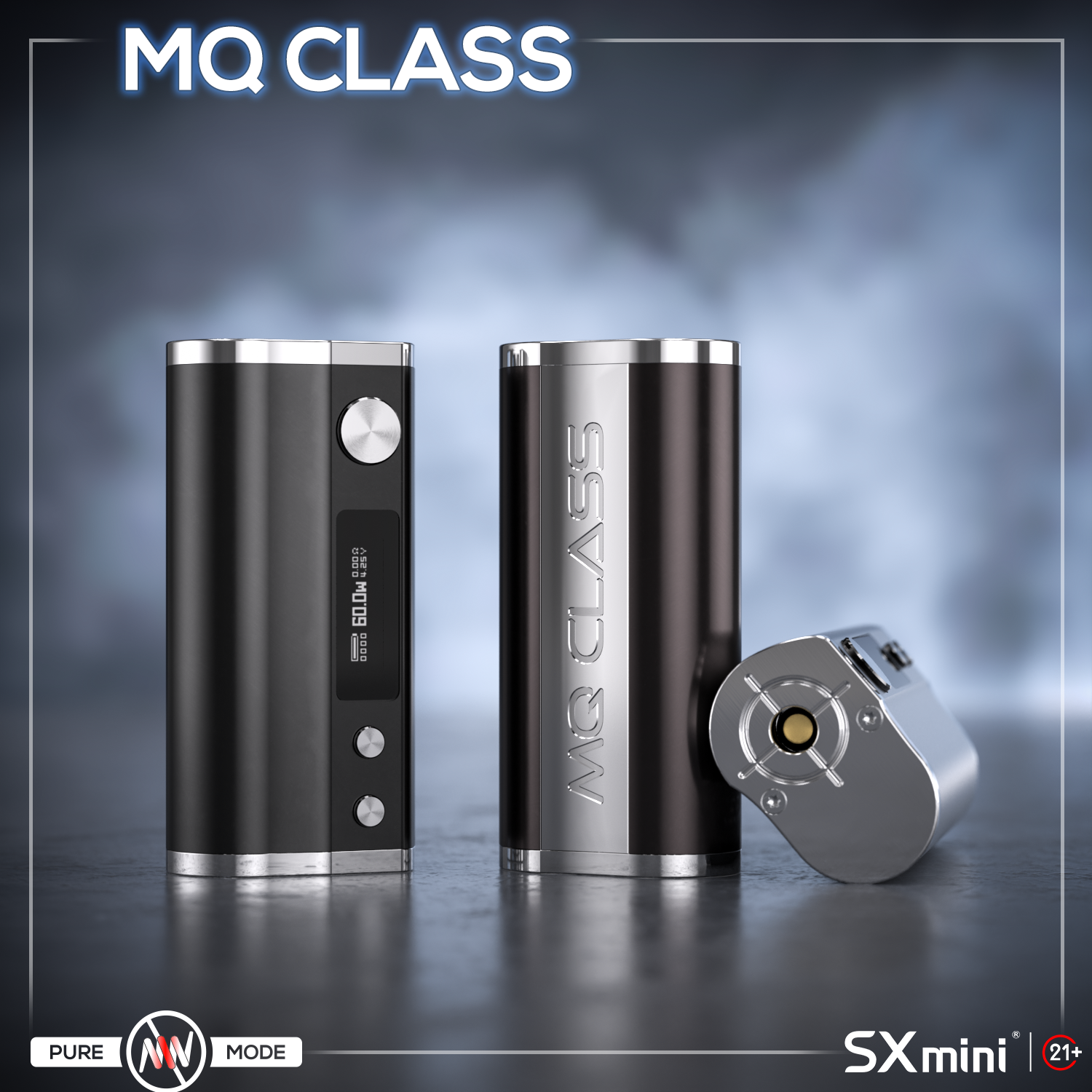
The SXmini MQ Class box mod is a compact single 18650 vape mod powered by the YiHi SX416J chipset. (J stands for Joule, indicating support for temperature control technology.) Small in size, but powerful and flexible, it supports wattage mode, temperature control, and VT Coil mode. This guide explains how to use MQ Class, including basic setup, vaping modes, and maintenance tips. Battery & First Setup • Open the battery door• Insert one 18650 battery (negative side out)• Close the battery door First use:• Press fire button 5 times → power on• Attach atomizer• Adjust wattage• Start vaping Tip: Use high-quality batteries for stable performance.• Do not use damaged batteries• Check battery wraps regularly and make sure they are intact before use Basic Operations • Power on / off → press fire button 5 times• Lock / unlock device → press fire button 3 times• Adjust wattage → use Up / Down buttons• Lock buttons → hold Up + Down for 3 seconds Simple control makes it easy for daily use. Vaping Modes Explained Press fire button 5 times to enter the main menu: • Wattage / Voltage Mode• Output range: 1–60W• Displays puff count, voltage, resistance, battery • Temperature Control (TC Mode)• Supports SS316, Ni200, and TCR wires• Auto resistance lock at room temperature • VT Coil Mode (SXmini Technology)• Designed for SXmini VT Coils• Select “LOCK NEW” for new coil• Select “USE OLD” for used coil• Provides Anti-Burn protection under correct coil conditions • Smart Curves (Power Curves)• Preset: Soft / Neutral / Hard• Customize output curve for…
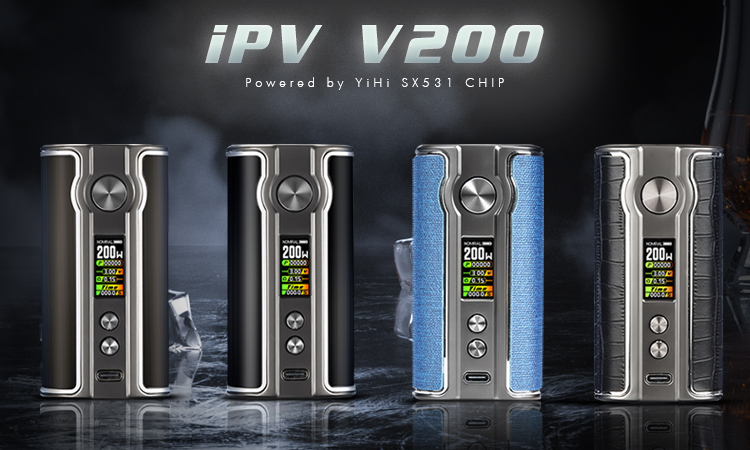
The iPV V200 box mod is powered by the YiHi SX531 chipset. It supports dual 18650 batteries and delivers up to 200W output. This guide explains how to use iPV V200, including wattage adjustment, flavor modes, and common vape settings. What is iPV V200? The iPV V200 vape mod is a high power box mod designed for stable performance and simple operation. • Output range: 5W to 200W• Powered by dual 18650 batteries• Equipped with YiHi chip for accurate power control• Suitable for sub-ohm tanks and rebuildable atomizers How to Turn On iPV V200 • Insert two 18650 batteries correctly• Press the fire button 5 times quickly to power on• Press fire button 3 times to lock or unlock Tip: Always use matched batteries for better safety and performance. How to Adjust Wattage on iPV V200 • From home screen, press the Up button• Use Up / Down buttons to change wattage• Range: 5W to 200W• Press fire button to confirm This is also known as variable wattage mode, the most common vape setting. iPV V200 Flavor Modes Explained The iPV V200 includes different vape power curves to adjust your vaping experience. • Normal mode• Constant 100% power output• Best for stable flavor • Strong mode• Starts around 150% power, then drops to 100%• Faster heating, stronger throat hit • Soft mode• Starts around 50%, then increases to 100%• Smoother inhale, good for beginners • SXi-EQ modes (1–3)• Custom power curves• Adjust power every 0.5 seconds (50%–150%)• Advanced users can fine-tune flavor These modes are useful for users searching for:•…
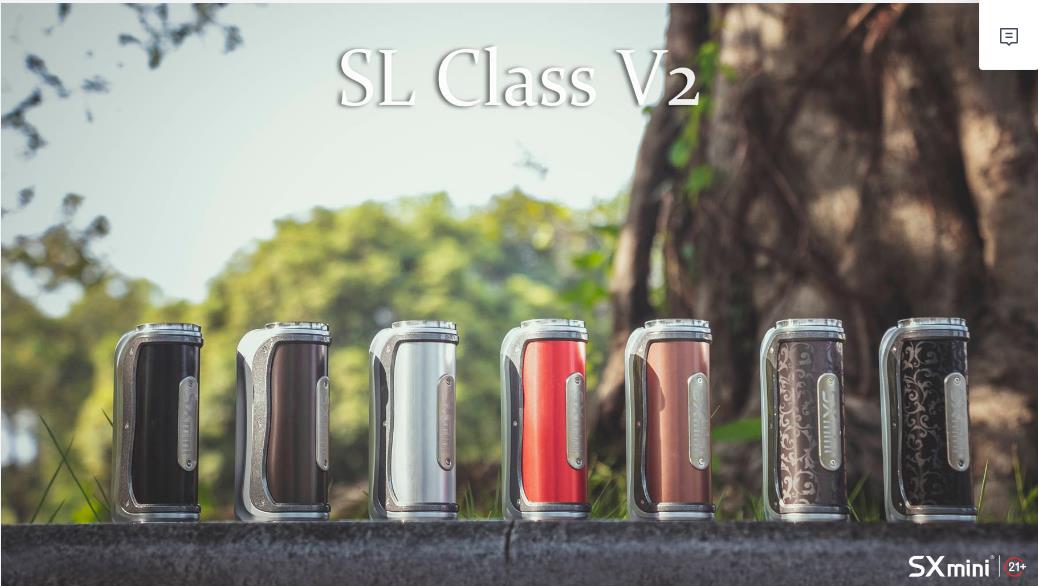
The SXmini SL Class V2, powered by the YiHi SX730J chipset, is a single‑battery device supporting 18650/20700/21700 batteries. Packed with features, but very easy to use once you know the basics. Power On & Unlock Insert battery (check polarity). 5 clicks fire button → power on. 3 clicks fire button → lock/unlock. Power & Temp Control Power Mode: roll joystick up/down to adjust wattage. Temp Control Mode: adjust preset temperature with joystick. Two TC styles: Constant (precise) and Dynamic (slightly fluctuating). Supports SS, Ni, Ti, and custom TCR. Always lock resistance at room temperature before use. Flavor Modes & Curves Enter flavor curve page: press joystick down. Presets: Soft, Neutral, Strong. SXi‑EQ 1~3: DIY flavor curves, adjust wattage/temperature % every 0.5s. Percentage‑based system works with all coil types. Main Menu Access with 5 fire button clicks or hold joystick right 3s System Off: shutdown Mode: select Power/Temp Control P.Counter: puff counter (daily/total) Tweaks: brightness, timeout, reset Stats: device data Temp Units: °C/°F Timeout: screen timeout Temp Presets 5 quick presets: Cold / Cool / Normal / Warm / Hot. Adjust temp and voltage easily for different atomizers. Common Hints No atomizer → check coil/connection. Low battery → recharge. Short/Overheat → stop, check, or let it cool down. Dry‑hit protection → make sure cotton is wet and resistance locked at room temp. Specs Power: 5–100W Battery: 18650 / 20700 / 21700 (not included) Size: 89.1 × 42.3 × 30.2 mm Chipset: YiHi SX730J Max charging: 5V/1A Quick Summary Power / Temp Control / Curve modes all included Always lock resistance to…
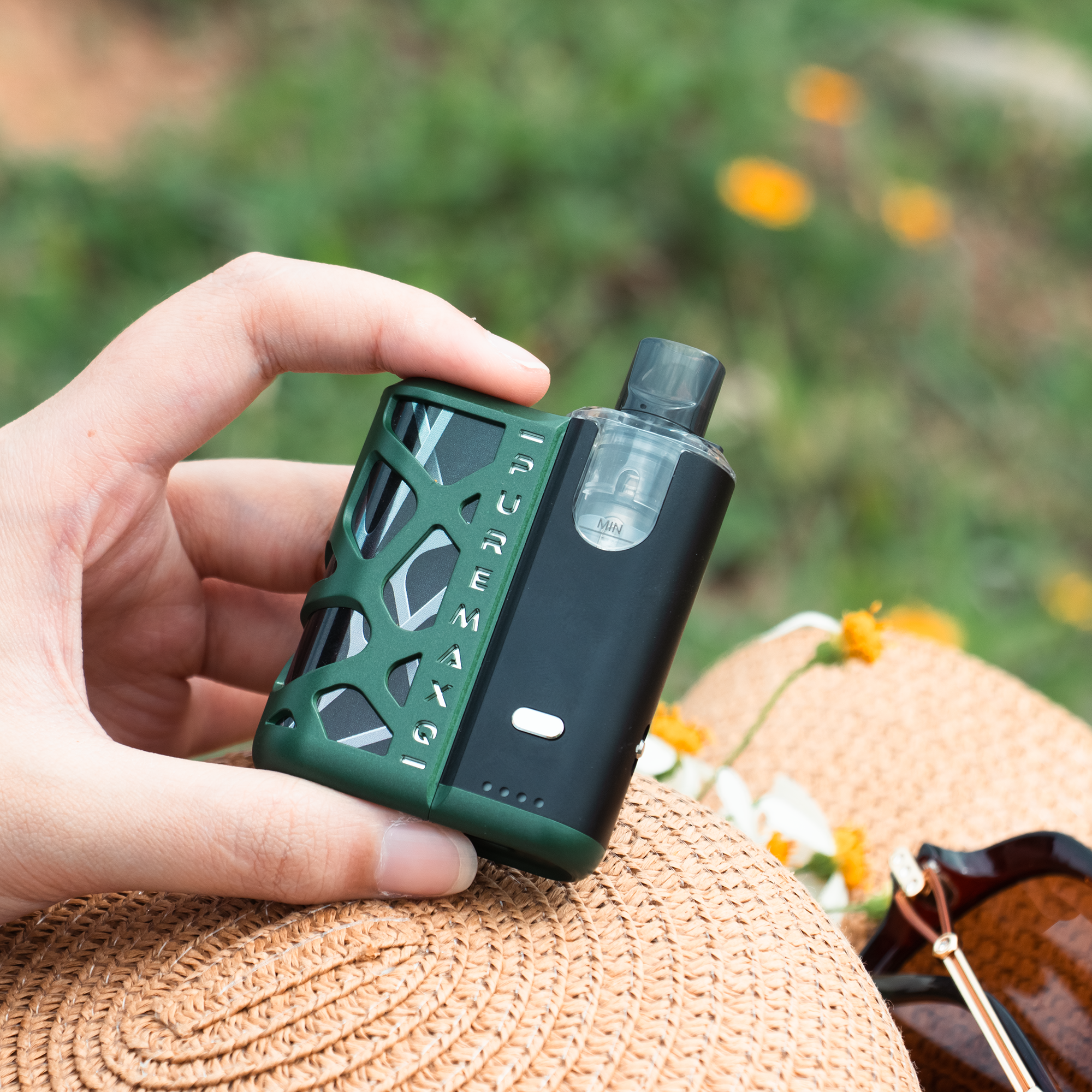
The Puremax Q looks simple and pocket-size, but it hides strong power. Inside is the YiHi SX255J chip and a 1500mAh battery. Let’s see how to use it in daily life. 01|First Fill: Use the Airplane Mode Puremax Q has a special trick — the rotating mouthpiece, also called airplane mode. • Travel or storage: turn it counter-clockwise to close juice flow (airplane mode on). No leaking. • Ready to vape: turn it clockwise to open (airplane mode off). First time filling: slide open the fill door, fill the tank full, close the door, and wait 3–5 minutes. The cotton needs to be wet before vaping. 02|Two Ways to Vape Everyone has a different habit. Puremax Q gives you two choices: • Auto Draw: just inhale, no button needed. • Dual Mode: inhale or press the button, both work. Press the fire button 3 times quickly to change the mode. 03|Smart Vibration Alerts Puremax Q talks to you with small vibrations: • Low e-liquid: short vibration, time to refill. • Empty tank: long vibration, device stops to protect the coil. • New pod too dry: short vibration when cotton is not ready. No more dry hits. 04|Which Mouthpiece Fits You? In the box you get two drip tips: • Wide driptip → for bigger clouds, RDL/DL style. • Narrow driptip → for MTL, stronger throat hit, good with higher resistance. It also supports most 510 drip tips. If you use your own, remember to control the juice flow with airplane mode. 05|Daily Care Tips • Clean the condensation with a cotton swab. • Not using for long? Turn on airplane mode. • Charge with Type-C, 5V/1A. Don’t use fast chargers. 06|Why People Like Puremax Q • Airplane mode: leak-proof design for travel and storage. • Flexible use: auto or button, your choice. • Smart protection: always takes care of the coil. • Custom style: change drip tips if you like. Final Words Puremax Q is more than just a small pod. It’s easy, smart, and safe. Great for new users, but also fun for advanced vapers. Put it in your pocket, and enjoy a smooth vape anytime.
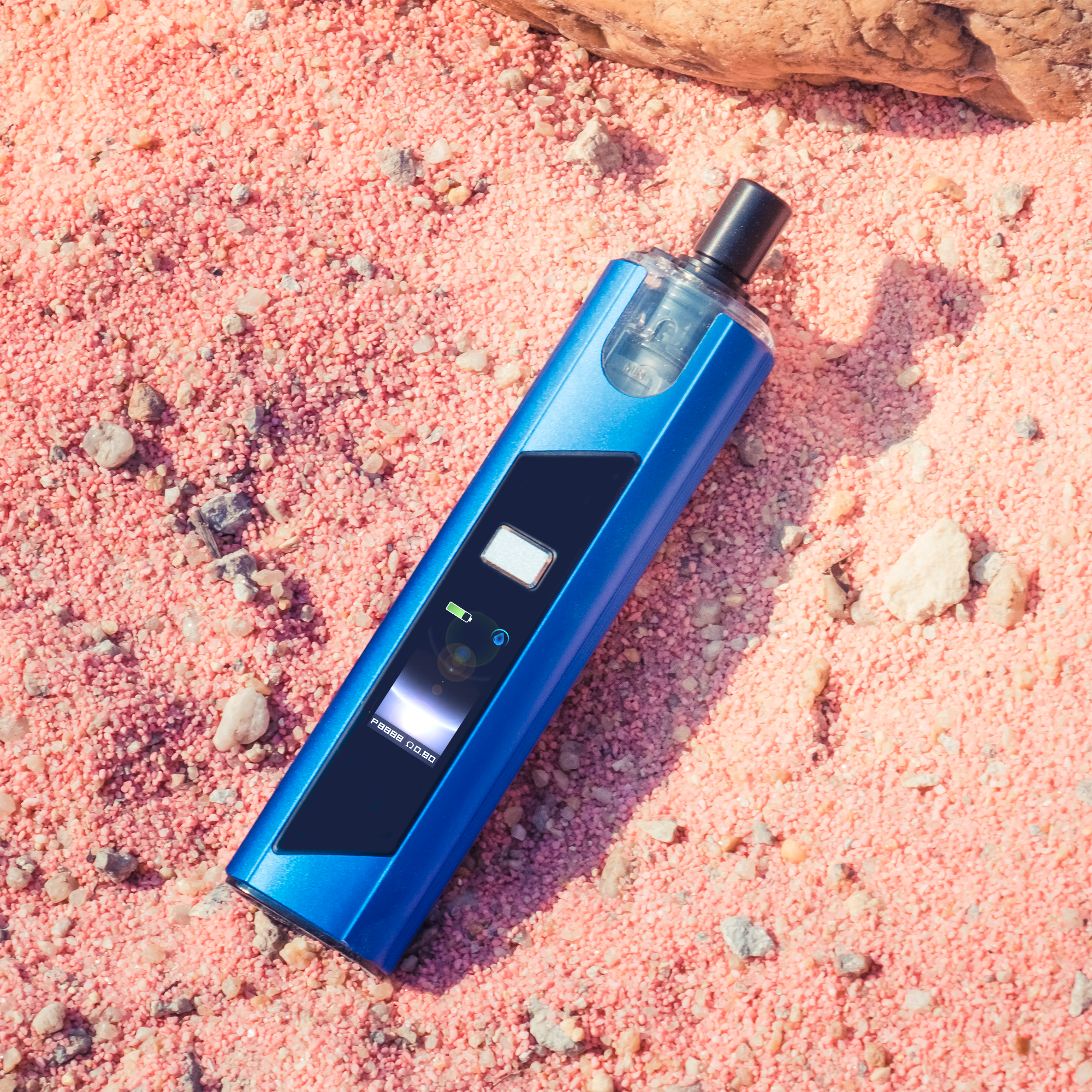
The Puremax 2 is small and light, but full of smart features. Let’s see how to use it and get the best vaping experience. 01|Filling & Leak Protection Puremax 2 has a rotating mouthpiece (Airplane Mode): •Travel or storage: turn the mouthpiece counter-clockwise to close the cotton juice hole (Airplane Mode ON). No leaking. •First fill: fill the tank fully. Cotton expands and forms a seal. •New pod: wait 2-3 minutes after filling so cotton is fully wet. Smart alerts: •Low liquid: short vibration reminds you to refill. •Empty pod: vibration + screen alert, device auto-shuts off to prevent dry burn. 02|Core Technology & Safety PURE Temperature Control: •Stops dry burn and overheating automatically. •Precise temperature curve improves flavor. •Protects battery and pod life. PURE Mode Dry Burn Protection: •New pods not fully wet? Device gives short vibration alert. 03|Basic Operation & Custom Settings Basic Operation •Quick lock: press fire button 3 times. •Adjust power: press 4 times to enter, then press to select 5-35W. •Main menu: press 5 times to enter settings. Customization •Trigger mode: Auto / Button / Dual mode. •Wallpapers: upload 4 custom wallpapers via SX Link USB + SXi Tools. 04|Daily Care Tips • Clean condensation with a cotton swab regularly. • Not using for long? turn Airplane Mode ON to prevent leaks. 05|Specs & Accessories •Chipset: YiHi SX304J •Battery: 1300mAh (5V/2A fast charge) •Size: 104 × 27.47 × 19.78mm Quick Summary Puremax 2 is small, smart, and safe. With Airplane Mode, PURE temperature control, and custom wallpapers, it is easy to use and fun to personalize. Perfect for new users or experienced vapers.


